CodeVisionAVR Development Kit
New to CodeVisionAVR? UVee highly advises first time buyers to purchase a CodeVisionAVR Development Kit.
The Development Kit provides all the hardware, software and tools required to get started:
- CodeVisionAVR Advanced
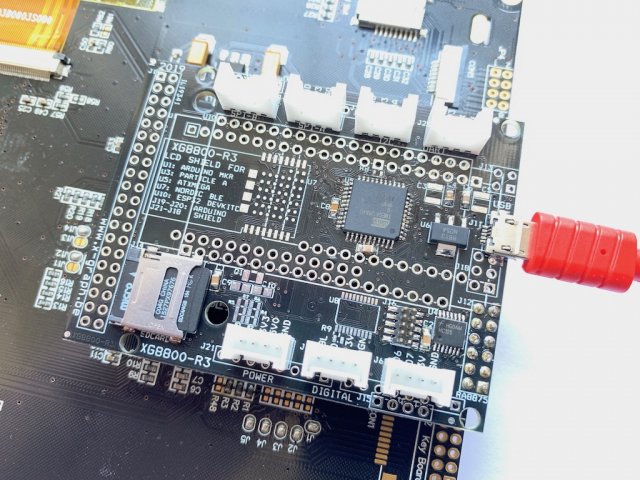
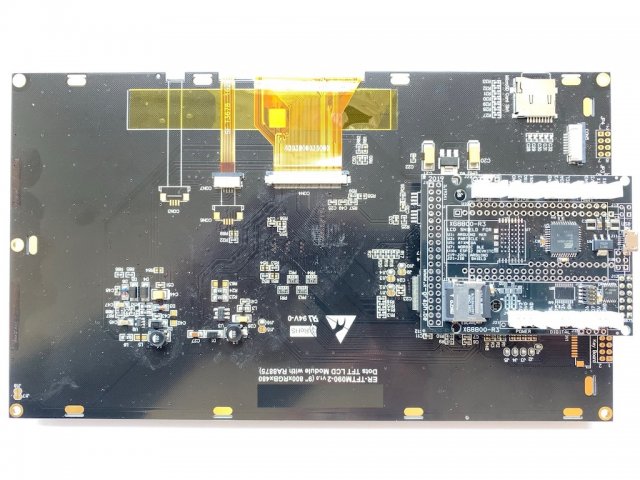
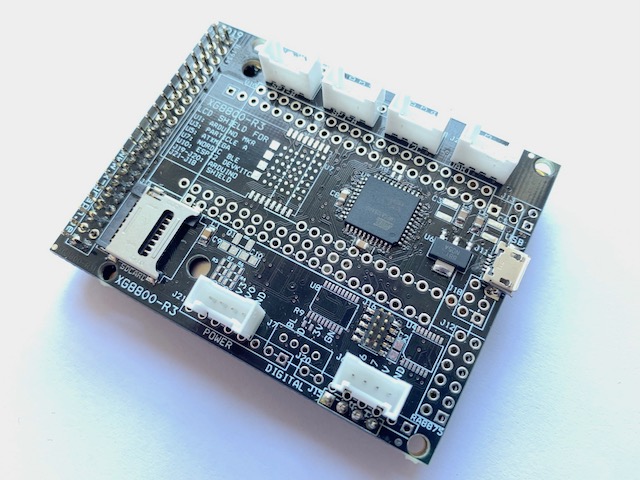
- An AVR LCD Module with a ATXMega A4U CPU and your choice graphic LCD and touchscreen (the cpu memory size depends on availability)
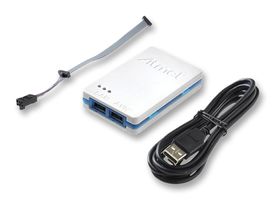
- Optional add a AVR ICE in-circuit debugger and programmer if you don't own one yet
Create quickly and without hardware or software concerns an AVR based touchscreen/display project. CodeVisionAVR Advanced includes support for the Development Kit display and touchscreen. Start designing products which allow monitoring and controlling hardware without hardware or software worries. Use the Grove connectors to add any kind of I/O interface without the need for soldering.
Once your project is ready for production you can order AVR LCD modules (excluding the Dev Kit parts) in single, 25pcs and 100pcs packs (larger quantities contact us for a quote).
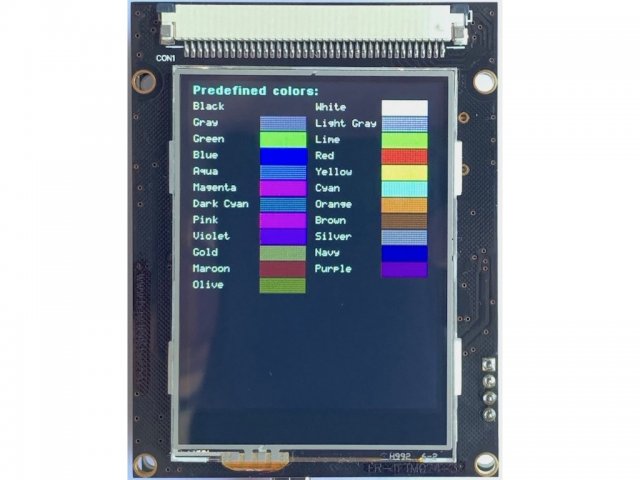
The Development Kit is available with a 9.0" 800x480 or 2.4" 240x320 TFT LCD with touchscreen. The 9.0" high resolution LCD allows you to make stunning looking tablet-size projects. The small size 2.4" LCD is perfect for your CodeVisionAVR project requiring a small cost effective LCD.
You can add up to 6 Grove expansion modules. There is also an SDCard socket to store all fonts and images required to build a nice looking graphic user interface for your projects.
An on-board USB connector is used to power the module. Alternatively a power input Grove connector or a compact AC/DC plug-in module (100V to 240V) can also be used. The USB data pins are routed to the USB input pins of the AVR microcontroller. Use the CodeVisionAVR USB library to quickly add USB support to your project.
The Development Kit is based on the X-Graph XG8800 module which is also be available for ESP32, Particle, Nordic BLE and Pycom CPU modules.
LCD Features
- SPI interface
- Resistive Touchscreen
- SD Card socket to store fonts & images
- long term availability, guaranteed till 2025
- CodeVisionAVR Advanced LCD library included
- 4 mounting holes for easy install on front panels
- -20°C to +70°C operating temperature
| Size | 9.0" | 2.4" |
| Resolution | 800x480 | 240x320 |
| Colors | 256/64k | 256/64k/256k |
| LCD Driver | RA8875 | ILI9341 |
| Outline dimensions | 226.10 x 130.50 mm | 56.00 x 72.70 mm |
| Active area | 198.00 x 111.70 mm | 38.72 x 54.60 mm |
| Contrast Ratio | 500:1 | 500:1 |
| Response Time | 20 msec | 25 msec |
| Brightness | 500 cd/m2 | 300 cd/m2 |
| Power | 650mA @ 5V | 100mA @ 5V |
Power
- 5 Volt DC power supply / all AVR CPU I/O's are 3.3 Volt compatible only
- The micro USB connector can be used to power the complete module including the LCD.
- Grove power input connector. Can be used to power the module from an external 5V power supply.
- Optional AC/DC plug-in module to power the module directly from a 100V-240V AC source. Makes a perfect all-in standalone solution.
CPU Pin connections
- SPI bus used for LCD / Touchpanel chip / SDCard: MOSI / MISO / SCK on PortC
- LCD chip select: LCD CS = PC4
- SDCard chip select: SD CS = PD5
- Touchpanel chip select: TP CS = PD4
- LCD driver reset: RESET = PR0
- Touchpanel interrupt: TP IRQ = PR1
- LCD Data/Command selection: D/C = PD2
- Backlight: enable / disable backlight of the LCD = PD3
- USB = PD6/PD7
- Grove UART: RX/TX = PC2/PC3
- Grove I2C: SCL/SDA = PC0/PC1
- Grove SPI-A: MOSI 2 / MISO 2 = PE2/PE3
- Grove SPI-B: SCK2 / CS 2 = PE1/PE0
- Grove Digital 1: BL/DC = PD3/PD2
- Grove Digital 2: D6/D7 = PB2/PB3 (also ADC & DAC)
Step 1: Install CodeVisionAVR Advanced
If this is your first CodeVisionAVR project or if you just do not yet have the CodeVisionAVR IDE installed on your computer then follow the install instructions in the mail you've received from HP Infotech.
The HP Infotech website also has a wealth of information on all aspects of CodeVisionAVR. If you’re not familiar with CodeVisionAVR feel free to browse and learn.
Step 2: Connect the hardware
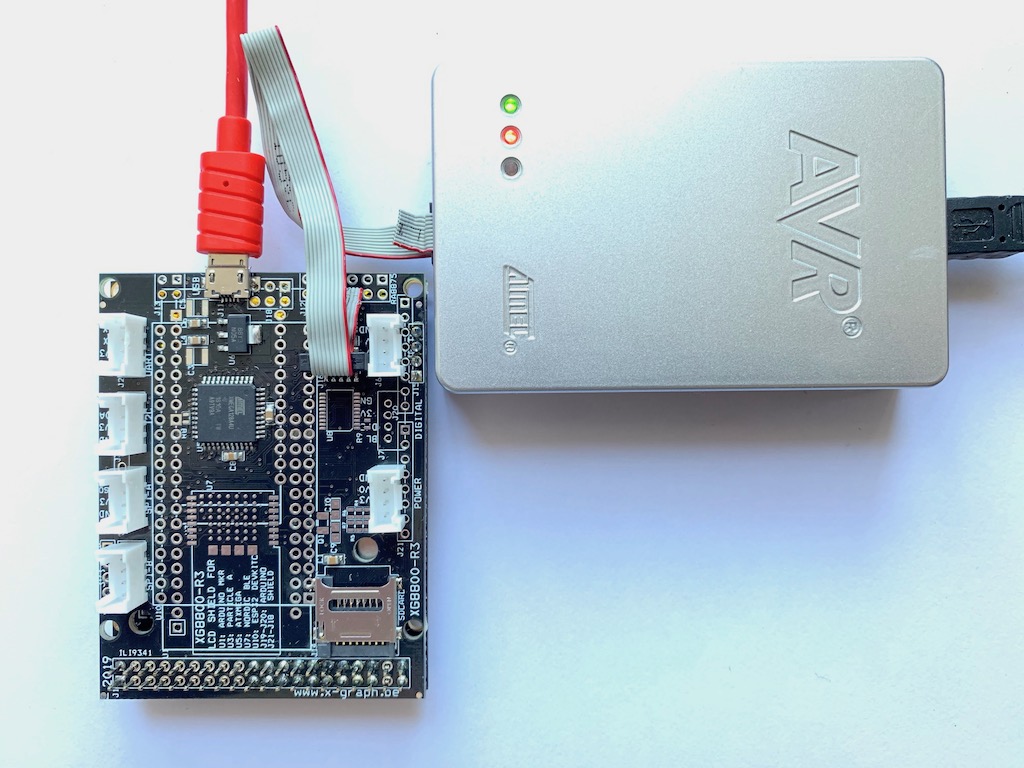
- Connect the Development Kit module to your computer with a micro-USB cable
- Connect the AVR JTAGICE3 to your computer with a mini-USB cable
- Connect the AVR JTAGICE3 debugging port with the debug header on your Development Kit module. Use the include 10-pin cable and make sure to route pin1 to pin1.
Step 3: Run one of the CodeVisionAVR Examples
- Launch the CodeVisionAVR IDE
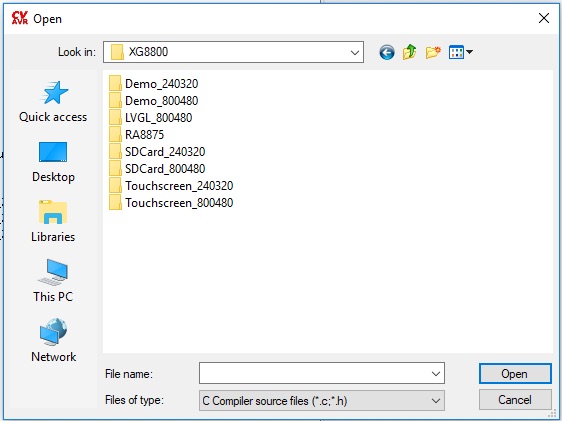
- Open one of the 'X-Graph/XG8800' Examples. Make sure to select an example compatible with your LCD.
- Compile and download the example. That's it.
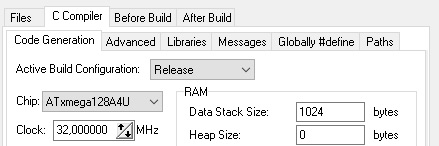
If you want to start a fresh project you need to make sure CodeVisionAVR is configured correctly to support the Development Kit LCD type. First open the Configure window (Project - Configure), then click the 'C Compiler' tab and make sure to select the correct Chip:
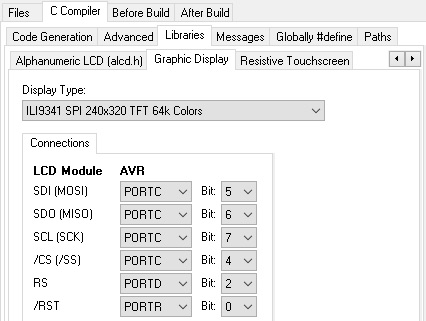
Then select the Libraries tab and make the following settings:
- 2.4"LCD
- 9.0"LCD
- SDCard support:
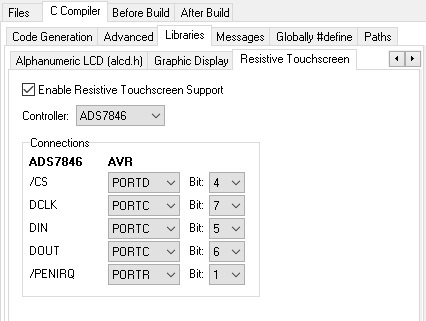
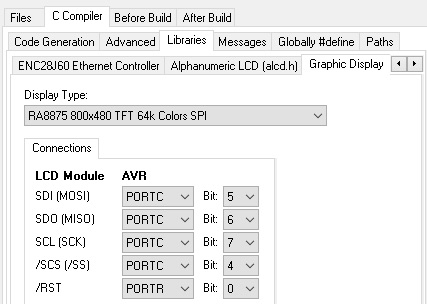
The 9.0" LCD does not require a setting for the touchscreen.
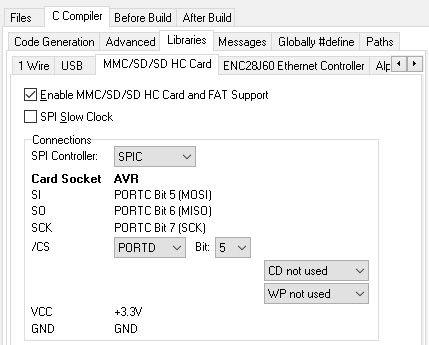
You might get some warnings that several pins are used for two purposes, you should accept this.
The Development Kit is a complete package ready to use.
The LCD, interface board, and expansion connectors are all designed to match with CodeVisionAVR Advanced perfectly. There is no need for soldering, testing, checking schematics, searching the web, …
The CodeVisionAVR libraries are match to the Development Kit hardware perfectly without the need for complicated or difficult to understand configurations. There are several examples included which match the Development Kit perfectly without configuration settions, they are guaranteed to work.
High speed graphic libraries
CodeVisionAVR includes a RA8875 hardware accelerated lilbrary optimised for maximum performance. You get the maximum possible communication speed between LCD and CPU, without understanding SPI low level hardware.
Hardware SPI bus
The Development Kit always uses a hardware SPI bus. Some generic libraries use a much slower software simulated SPI bus to maintain compatibility with hundreds of LCD modules.
The SDCard library works perfectly with the Development Kit graphic library on the same SPI bus.
The RA8875 driver is known for its SPI compatibility issues, these have been solved on the Development Kit module.
No-solder hardware using proven parts
The Development Kit combines well-known parts to a single product. There is no need for soldering. It’s a ready-to-go package.
You get the complete package from one supplier, there is no need to place different orders at different websites to get your complete product.
Our website contains all needed information
You’ll find all the information on our website. You do not need to search the web to find necessary info to get your development started. Our website does not copy data, we do provide links to the latest versions of all necessary data.
What are the RA8875 benefits
- less I/O pins needed because touchscreen & backlight support are integrated
- hardware accelerations for graphic primitives
- build-in fonts, support for user font, support for external font chips
- hardware block transfer engine / hardware scrolling / hardware cursor / hardware patterns / layer support
- 8-bit color support
- The Development Kit can be powered directly from your computer USB port. Some computer USB ports will not supply enough power for the 9.0 LCD. In that case you’ll need to use an alternative power input.
- Every XG8800 has one POWER Grove connector which can be used as a power input (+5V only !!)
- Connecting the Grove connector power input and the USB port simultaneously is not allowed.
Currently we do not. If you place a minimum order of 100 pcs we will make the necessary changes to the Development Kit module.
Do you offer other LCD sizes and LCD resolutions
The module design can support 1.8" to 10.1" LCD's. If you require any particular size or resolution feel free to contact us.
Can I add fonts and graphics
The library includes several standard fonts and the RA8875 also has build-in fonts. But you can add any font or graphic to your code using the CodeVisionAVR font convertor. Graphics (jpg/png/bmp/...) need to be converted and can be stored in memory or on the SDcard.
More information can be found here:
- Check the 'Detailed Information’ sections above for all Development Kit related information
- Information on the Grove System can be found here
- ILI9341 Datasheet
- XPT2046 Datasheet
- RA8875 Datasheet
- XG8800 schematic