~repack~ Download Woron Scan 109 Software Fix

~repack~ Download Woron Scan 109 Software Fix

I notice you're asking for two very different things: a software download for "Woron scan 109" and an essay.

First, regarding the "Woron scan 109 software fix": I cannot directly provide software downloads. However, I can advise you on how to safely find it:

If you provide the correct brand and model number, I can help you locate the official support page.

Second, regarding the essay: You asked me to "write a essay" but didn't specify a topic. Could you please clarify:

Woron Scan 1.09 is a legacy utility primarily used for scanning and cloning GSM SIM cards to retrieve sensitive data like IMSI and Ki codes.

While it was once popular for card backup or multi-SIM creation, modern SIM security has made this software largely obsolete and potentially dangerous to use on current hardware. Essential Software Context

Primary Function: The software communicates with a SIM card via a hardware card reader (like a Phoenix programmer) to find encryption keys. Operating Risks:

Permanent Damage: SIM cards have a limited number of access attempts (typically around 65,000). Exceeding this limit during a scan will permanently block the card, requiring a replacement from the carrier.

Modern Security: Most modern 3G, 4G, and 5G SIM cards (V2 and above) are physically patched against the vulnerabilities Woron Scan exploits, making successful "cracking" nearly impossible.

Technical Requirement: To run on newer Windows versions, you often need the winscard.dll library file placed in the same directory as the executable. Safety and Download Warning

Be extremely cautious when searching for "software fixes" or direct downloads for Woron Scan. Because the software is no longer officially maintained, most current download links found on community forums or third-party sites are: Malware Risks: Often bundled with Trojans or keyloggers.

Compatibility Issues: The "fix" usually refers to enabling it to work on Windows 10/11 or with USB-to-Serial adapters, which require specific COM port configurations (e.g., 9600 or 19200 bps).

For more reliable information on its history and usage, you can refer to archives on WoronScan.narod.ru or technical discussions on Hackaday. Woronscan - Hackaday

Woron Scan 1.09 is a legacy tool primarily used for SIM card cloning

and forensics. It is designed to read critical identification data from a SIM card, such as the (International Mobile Subscriber Identity) and the

(Authentication Key), which are required to create a duplicate or "clone" of the card on a blank programmable SIM. Software Overview & Capability

Extracting security codes (Ki/IMSI) from older SIM cards (COMP128v1 algorithm). Requirements: To function, the software typically requires a SIM card reader/writer hardware device connected to a PC. Compatibility:

This version is highly outdated and was primarily built for Windows XP/2000. It often requires compatibility mode or specific drivers to run on modern Windows 10/11 systems. The "Fix" & Common Issues

Users searching for a "fix" for version 1.09 are usually dealing with: Runtime Errors:

Missing DLL files or OCX component errors common in older Visual Basic applications. Hardware Connection:

The software failing to recognize USB SIM readers (which often require virtual COM port drivers). Modern SIM Incompatibility:

Most modern SIM cards use COMP128v2 or v3 algorithms, which Woron Scan 1.09 Download & Security Warning

Woron Scan is considered "abandonware" and is no longer officially maintained. Most sites offering "Woron Scan 1.09 software fix" downloads are third-party archives or forums. These downloads frequently contain , trojans, or "binders". Verification: If you must use it, ensure you run the executable in a or Virtual Machine and scan it with tools like VirusTotal Summary Review Rating/Status Ease of Use

Low (Requires technical setup and manual driver configuration) Reliability Low (Fails on 99% of modern 4G/5G SIM cards)

Hazardous (High risk of bundled viruses from unofficial sites) Only useful for hobbyists working with very old GSM tech. Important Legal Note:

Cloning SIM cards without authorization is illegal in many jurisdictions and can be used for fraudulent activities. This information is for educational and forensic recovery purposes only. or instructions on how to fix specific OCX/DLL errors for this software? Woronscan - Hackaday download woron scan 109 software fix

Download Woron Scan 1.09 Software Fix: A Comprehensive Guide

Are you experiencing issues with your Woron Scan software? Perhaps you're encountering errors, crashes, or compatibility problems? Look no further! In this blog post, we'll explore the Woron Scan 1.09 software fix and provide a step-by-step guide on how to download and install the solution.

What is Woron Scan?

Woron Scan is a popular scanning software used for various purposes, including document scanning, image scanning, and more. The software is designed to work with a range of scanners and devices, providing users with a convenient and efficient way to digitize their documents.

The Need for a Software Fix

Like any software, Woron Scan is not immune to issues and bugs. Users may encounter problems such as:

If you're experiencing any of these issues, it's essential to download and install the Woron Scan 1.09 software fix.

What is the Woron Scan 1.09 Software Fix?

The Woron Scan 1.09 software fix is an updated version of the software that addresses various issues and bugs. The fix is designed to:

How to Download and Install the Woron Scan 1.09 Software Fix

Downloading and installing the Woron Scan 1.09 software fix is a straightforward process. Here's a step-by-step guide:

  1. Visit the Official Website: Go to the official Woron Scan website ([insert website URL]) and navigate to the "Downloads" or "Support" section.
  2. Locate the Software Fix: Search for the Woron Scan 1.09 software fix and click on the download link.
  3. Download the Fix: The software fix will be downloaded as a zip file or executable file. Save it to your computer and ensure you remember the location.
  4. Extract the Files: If the file is zipped, extract the contents to a folder on your computer.
  5. Run the Installer: Run the executable file (e.g., "Woron Scan 1.09 Fix.exe") and follow the on-screen instructions.
  6. Install the Fix: The installation process will begin, and you'll be prompted to agree to the terms and conditions.
  7. Restart Your Computer: Once the installation is complete, restart your computer to ensure the fix takes effect.

Troubleshooting Tips

If you encounter any issues during the download or installation process, here are some troubleshooting tips:

Conclusion

The Woron Scan 1.09 software fix is a reliable solution to common issues and bugs affecting the software. By following the steps outlined in this blog post, you can easily download and install the fix, ensuring a seamless scanning experience. If you're experiencing any issues with your Woron Scan software, don't hesitate to try the 1.09 software fix today!

Additional Resources

FAQs

Q: What is the Woron Scan 1.09 software fix? A: The Woron Scan 1.09 software fix is an updated version of the software that addresses various issues and bugs.

Q: How do I download the Woron Scan 1.09 software fix? A: Visit the official Woron Scan website, navigate to the "Downloads" or "Support" section, and click on the download link.

Q: Is the Woron Scan 1.09 software fix compatible with my scanner/device? A: Check the software fix details on the official website to ensure compatibility with your scanner/device.

Q: What if I encounter issues during the download or installation process? A: Refer to the troubleshooting tips outlined in this blog post or contact Woron Scan support for assistance.

The Ultimate Solution to Download and Fix Woron Scan 109 Software Issues

Are you struggling with issues related to the Woron Scan 109 software? Perhaps you're experiencing errors, crashes, or compatibility problems that are hindering your productivity. Look no further! In this comprehensive article, we'll guide you through the process of downloading and fixing Woron Scan 109 software issues.

Introduction to Woron Scan 109 Software

Woron Scan 109 is a specialized software designed for scanning and processing documents. It's widely used in various industries, including healthcare, finance, and education, due to its efficiency and accuracy. However, like any other software, Woron Scan 109 is not immune to technical issues. These problems can arise due to various reasons, such as outdated software versions, corrupted files, or compatibility issues with other programs. I notice you're asking for two very different

The Importance of Fixing Woron Scan 109 Software Issues

Fixing Woron Scan 109 software issues is crucial to ensure seamless document scanning and processing. When the software malfunctions, it can lead to:

  1. Productivity Loss: Errors and crashes can significantly slow down your workflow, resulting in decreased productivity and efficiency.
  2. Data Loss: Corrupted files or failed scans can lead to data loss, which can be catastrophic, especially in industries where sensitive information is handled.
  3. Security Risks: Outdated software can leave your system vulnerable to security breaches and cyber-attacks.

Downloading Woron Scan 109 Software Fix

To resolve Woron Scan 109 software issues, you'll need to download the latest software fix. Here's a step-by-step guide:

  1. Visit the Official Website: Go to the official Woron Scan 109 website and navigate to the "Support" or "Downloads" section.
  2. Select Your Software Version: Choose the correct software version that corresponds to your installed version.
  3. Download the Software Fix: Click on the "Download" button to initiate the download process. Save the file to a designated folder on your computer.

Fixing Woron Scan 109 Software Issues

Once you've downloaded the software fix, follow these steps to resolve common issues:

  1. Update the Software: Run the downloaded file and follow the installation prompts to update the software to the latest version.
  2. Repair Corrupted Files: If you're experiencing errors due to corrupted files, use the software's built-in repair tool or a third-party file repair software to fix the issue.
  3. Configure Compatibility Settings: Ensure that the software is compatible with your operating system and other installed programs. Adjust the compatibility settings as needed.

Common Woron Scan 109 Software Issues and Solutions

Here are some common issues and their solutions:

  1. Error 1: "Failed to Initialize": Update the software to the latest version and ensure that the scanner is properly connected.
  2. Error 2: "Corrupted File": Repair corrupted files using the software's built-in repair tool or a third-party file repair software.
  3. Error 3: "Compatibility Issue": Adjust compatibility settings or update the software to ensure compatibility with your operating system.

Troubleshooting Tips

If you're still experiencing issues after downloading and installing the software fix, try these troubleshooting tips:

  1. Restart Your Computer: Sometimes, a simple reboot can resolve the issue.
  2. Check System Requirements: Ensure that your computer meets the software's system requirements.
  3. Contact Support: Reach out to Woron Scan 109's customer support team for further assistance.

Conclusion

Downloading and fixing Woron Scan 109 software issues can be a straightforward process if you follow the right steps. By updating the software, repairing corrupted files, and configuring compatibility settings, you can resolve common issues and ensure seamless document scanning and processing. Remember to always troubleshoot and seek support if you're still experiencing problems.

FAQs

Q: What is Woron Scan 109 software? A: Woron Scan 109 is a specialized software designed for scanning and processing documents.

Q: Why do I need to download a software fix for Woron Scan 109? A: You may need to download a software fix to resolve errors, crashes, or compatibility issues that are hindering your productivity.

Q: How do I fix Woron Scan 109 software issues? A: Update the software, repair corrupted files, and configure compatibility settings to resolve common issues.

By following the information and solutions provided in this article, you should be able to download and fix Woron Scan 109 software issues efficiently. Happy scanning!

Here are a few options for a post, depending on where you are posting (e.g., a tech forum, social media, or a blog).

Prerequisites


Step 2: Applying the "Fix" (If Required)

Most versions of Woron Scan found online are pre-cracked "portable" versions, but if you have a clean install, you may need to apply a fix.

  1. Extract the Archive: Use WinRAR or 7-Zip to extract the files to a folder on your Desktop (e.g., C:\Users\YourName\Desktop\WoronScan).
  2. Check for a Loader: Look for files named fix.exe, loader.exe, or patch.exe inside the folder.
  3. Application:
    • If the software is portable, simply double-click WoronScan.exe.
    • If there is a patch, copy it into the installation directory and run it, then click "Patch."

Legal & Safety Disclaimer

The Woron company closed operations in 2019 and no longer provides updates. Downloading and applying a third-party "software fix" is done entirely at your own risk. This article is for educational purposes. Modifying firmware may violate local electronics regulations and will void any remaining warranty (if any exists). Always back up your original firmware before flashing a fix.

The Risks of Downloading Random Fixes

Warning: The internet is flooded with fake "Woron Scan 109 fix" files that contain malware, keyloggers, or ransomware. Since this is a niche keyword, malicious actors specifically target users searching for obscure drivers.

Do not download from:

Only proceed with sources that include valid SHA-256 checksums or verified user reviews from automotive/industrial forums.

6) Firmware and updates

5) Common problems and fixes

Conclusion: Should You Download the Woron Scan 109 Software Fix?

Yes, if:

No, if:

For those who persist, the correct search remains "download woron scan 109 software fix" – but now you know exactly how to do it safely. Remember: in the world of legacy hardware, patience and verification are more important than the download speed.

Last updated: October 2025. This guide will be removed if Woron resumes official operations.

Woron Scan 1.09 is a specialized tool historically used for scanning and editing SIM cards (GSM). While it was once popular in the early 2000s for exploring SIM card data or attempting to clone older cards (COMP128v1), its functionality is largely obsolete for modern 4G/5G SIM cards which use much more secure encryption. Important Security Warning

Searching for "Woron Scan 1.09 software fix" often leads to untrustworthy websites, forum threads, or unofficial Google Drive links

. Because this software is "abandonware" and often bundled with unofficial patches (fixes), it is frequently flagged by security software as malware or a Trojan

: Downloading "fixes" from unverified sources can expose your computer to keyloggers or ransomware. Modern Compatibility

: The software was designed for Windows XP/98 and typically requires a physical COM port (RS232) and a specific Phoenix-style smart card reader to work correctly. How to Safely Handle SIM Data

If you are looking to manage your SIM card contacts or messages today, there are safer, modern alternatives: SIM Card Readers

: Use a modern USB SIM card reader that comes with official, digitally signed software. Mobile Apps

: Most data transfer is now handled via cloud services (Google/iCloud) or official carrier apps. Developer Tools

: For security research, look into open-source projects on platforms like

(e.g., Osmocom) which are transparent and community-reviewed. or how to find a compatible USB reader for your current card?

Option 1: Tech Forum / Community Support Style

Subject: Looking for Woron Scan 1.0.9 Download – Software Fix & Calibration Issues

Hi everyone,

I’m currently troubleshooting a batch of SIM cards and I’m looking to download Woron Scan 1.0.9. I have an older version, but I’ve heard 1.0.9 has specific software fixes that improve stability during the scanning process.

Does anyone have a reliable link or a mirror for this specific version? I’m trying to avoid modified binaries that might damage the reader firmware.

Context: I’m encountering issues where the scan freezes halfway through. Is this a known bug that the 1.0.9 update fixes, or is it likely a hardware issue with my Omnikey reader?

Any links or advice on the software fix would be greatly appreciated! Check the official website of the scanner manufacturer

Musik Werbenetz - www.musica.at

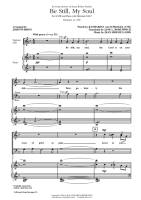
Be Still My Soul for choir Be Still My Soul for choir
Digital sheet music for choir (SATB: soprano, alto, tenor, bass). Jane L. Borthwick (composer), Katharina von Schegel (composer), John Purifoy (arranger, writer)
This item includes: PDF (digital sheet music to download and print)
Download: Be Still My Soul for choir

Be Still My Soul is also available for Orchestra/Band (Strings) & for Piano

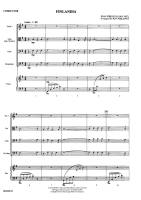
Finlandia for string orchestra Finlandia for string orchestra
Digital sheet music for string orchestra, Finlandia: Score, full score.
This item includes: Digital Sheet Music (for display and printing only).
Skill Level: Beginner
Download: Finlandia for string orchestra

Finlandia is also available for Full orchestra (Skill Level: Intermediate)
Concert Band (Skill Level: Beginner)
Concert Band (Skill Level: string orchestra)

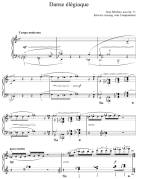
Danse Elegiaque from Scaramouche Op.71 for piano Danse Elegiaque from Scaramouche Op.71 for piano
Scaramouche, Op. 71, is incidental music by Jean Sibelius for a tragic pantomime by Poul Knudsen (1889–1974). Sibelius composed the work in 1913.
This item includes: PDF, digital sheet music to download and print

Download: Danse Elegiaque from Scaramouche Op.71

Musik Werbenetz - www.musica.at

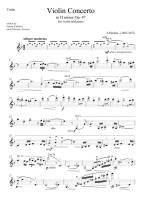
Concerto in D minor Op.47 for violin and piano Concerto in D minor Op.47 for violin and piano
The Violin Concerto in D minor, Op. 47, was written by Jean Sibelius in 1904, revised in 1905. It is his only concerto. This item includes: PDF (digital sheet music to download and print), Interactive Sheet Music (for online playing, transposition and printing), Video, MIDI and Mp3 audio files (including Mp3 music accompaniment tracks to play along).
Download: Concerto in D minor Op.47 for violin and piano

Concerto in D minor Op.47 is also available for Viola & Piano

Find more Sibelius Music on our partner websites (just click on the brand icon):

download woron scan 109 software fix   download woron scan 109 software fix   download woron scan 109 software fix   download woron scan 109 software fix   download woron scan 109 software fix   download woron scan 109 software fix   download woron scan 109 software fix   download woron scan 109 software fix  

Sibelius - A Composer's Life and the Awakening of Finland Sibelius - A Composer's Life and the Awakening of Finland
by Glenda Dawn Goss

One of the twentieth century’s greatest composers, Jean Sibelius (1865–1957) virtually stopped writing music during the last thirty years of his life. Recasting his mysterious musical silence and his undeniably influential life against the backdrop of Finland’s national awakening, Sibelius will be the definitive biography of this creative legend for many years to come.
Glenda Dawn Goss begins her sweeping narrative in the Finland of Sibelius’s youth, which remained under Russian control for the first five decades of his life. Focusing on previously unexamined events, Goss explores the composer’s formative experiences as a Russian subject and a member of the Swedish-speaking Finnish minority. She goes on to trace Sibelius’s relationships with his creative contemporaries, with whom he worked to usher in a golden age of music and art that would endow Finns with a sense of pride in their heritage and encourage their hopes for the possibilities of nationhood. Skillfully evoking this artistic climate—in which Sibelius emerged as a leader—Goss creates a dazzling portrait of the painting, sculpture, literature, and music it inspired. To solve the deepest riddles of Sibelius’s life, work, and enigmatic silence, Goss contends, we must understand the awakening in which he played so great a role.
Situating this national creative tide in the context of Nordic and European cultural currents, Sibelius dramatically deepens our knowledge of a misunderstood musical giant and an important chapter in the intellectual history of Europe.
University of Chicago Press; December 2009
588 pages; ISBN 9780226304793
Read online, or download in secure PDF format
Title: Sibelius, Author: Glenda Dawn Goss


e-Book download: Sibelius - A Composer's Life and the Awakening of Finland

Kindle Edition: Sibelius - A Composer's Life and the Awakening of Finland

Jean Sibelius - A Guide to Research Jean Sibelius - A Guide to Research

by Glenda Dawn Goss

First Published in 1998, High-quality guide to major research on the music of Sibelius. Highly recommended for academic libraries.
Taylor and Francis; October 2013
328 pages; ISBN 9781135541170
Read online, or download in secure EPUB
Title: Jean Sibelius, Author: Glenda Dawn Goss


e-Book download: Jean Sibelius - A Guide to Research

Kindle Edition: Jean Sibelius - A Guide to Research

The Cambridge Companion to Sibelius The Cambridge Companion to Sibelius
The Cambridge Companion to Sibelius

Jean Sibelius has gradually emerged as one of the most striking and influential figures in twentieth-century music, yet his work is only just beginning to receive the critical attention that its importance deserves. This Companion provides an accessible and vivid account of Sibelius's work in its historical and cultural context. Leading international scholars, from Finland, the United States and the UK, examine Sibelius's music from a range of critical perspectives, including nationalism, eroticism and the exotic, music and landscape, reception and musical influence. There are also chapters on recording and interpretation that offer fascinating insights into the performance of Sibelius's work. The book includes much material, drawing on scholarship, as well as providing a comprehensive introduction to Sibelius's major musical achievements.
Cambridge University Press; February 2004
ISBN 9781107485761 - Read online, or download in secure EPUB or secure PDF format
Title: The Cambridge Companion to Sibelius, Author: Daniel M. Grimley


e-Book download: The Cambridge Companion to Sibelius

Kindle Edition: The Cambridge Companion to Sibelius

Discovering Classical Music: Sibelius His Life, The Person, His Music Discovering Classical Music: Sibelius His Life, The Person, His Music

by Ian Christians; Sir Charles Groves CBE

Ian Christians, for many years a passionate believer in broadening the interest in classical music, has developed a unique approach, designed to make it as easy as possible for both newcomers to classical music and those who have started down the path to explore with confidence. Discovering Classical Music concentrates on the greatest composers. The author takes you step-by-step into their most approachable music and, in some cases, boldly into some of the greatest works traditionally considered ‘too difficult’ for newcomers. Rarely does a book offer such potential for continued enjoyment.
Pen and Sword; April 2016
43 pages; ISBN 9781473888418
Read online, or download in secure EPUB or secure PDF format
Title: Discovering Classical Music: Sibelius, Author: Ian Christians; Sir Charles Groves CBE


e-Book download: Discovering Classical Music: Sibelius His Life, The Person, His Music

Jean Sibelius and His World Jean Sibelius and His World

by Daniel M. Grimley(ed.)

Perhaps no twentieth-century composer has provoked a more varied reaction among the music-loving public than Jean Sibelius (1865-1957). Originally hailed as a new Beethoven by much of the Anglo-Saxon world, he was also widely disparaged by critics more receptive to newer trends in music. At the height of his popular appeal, he was revered as the embodiment of Finnish nationalism and the apostle of a new musical naturalism. Yet he seemingly chose that moment to stop composing altogether, despite living for three more decades. Providing wide cultural contexts, contesting received ideas about modernism, and interrogating notions of landscape and nature, Jean Sibelius and His World sheds new light on the critical position occupied by Sibelius in the Western musical tradition.
Princeton University Press; August 2011
352 pages; ISBN 9781400840205
Read online, or download in secure EPUB or secure PDF format
Title: Jean Sibelius and His World, Author: Daniel M. Grimley


e-Book download: Jean Sibelius and His World

Kindle Edition download: Jean Sibelius and His World

The Loneliness of Jean Sibelius The Loneliness of Jean Sibelius

by Alex Ross

This is a chapter from Alex Ross’s groundbreaking history of twentieth-century classical music, ‘The Rest is Noise’. Further extracts are available as digital shorts, accompanying the London Southbank festival programme.
Jean Sibelius hailed from the ‘small nation’ of Finland. Working in isolation, far from the great artistic capitals of Europe, Ross shows how Sibelius’s reinvention of classical forms went on to set the pace for classical composers around the world.
Now a major festival running throughout 2013 at London’s Southbank, The Rest is Noise is an intricate commentary not just on the sounds that defined the century, but on art’s troublesome dance with politics, social and cultural change.
Alex Ross is the New Yorker’s music critic, and the winner of the Guardian First Book Award and the National Book Critics Circle Award for The Rest is Noise, which was also shortlisted for the Samuel Johnson and Pulitzer prizes for non-fiction.
HarperCollins Publishers; January 2013
30 pages; ISBN 9780007519590
Read online, or download in secure EPUB
Title: The Rest Is Noise Series: Apparition from the Woods: The Loneliness of Jean Sibelius, Author: Alex Ross


e-Book download: The Loneliness of Jean Sibelius

The Correspondence of Jean Sibelius and Rosa Newmarch, 1906-1939 The Correspondence of Jean Sibelius and Rosa Newmarch, 1906-1939

by Philip Ross Bullock(ed.)

Rosa Harriet Newmarch (1857-1940) was well-known in her lifetime as the leading British authority on Russian music, yet she also enjoyed a long and close friendship with the Finnish composer, Jean Sibelius (1865-1957). This edition traces a personal and professional relationship that lasted more than three decades, as documented in more than 130 letters, notes and telegrams currently held in the National Archives of Finland. The correspondence, conducted in a mixture of French and German, reveals the intense friendship between Sibelius and Newmarch, sheds detailed light on Newmarch's contribution to the development of musical life in Britain, and provides some of Sibelius's most intimate commentary on his own works, as well as on those of other composers. This edition contains the complete extant correspondence between Newmarch and Sibelius in English translation, complemented by comprehensive commentaries on the events and personalities referred to, and is prefaced by an extensive introduction outlining Newmarch's definitive role in promoting Sibelius and his music in early twentieth-century Britain. An appendix reproduces a previously unknown programme note that Newmarch wrote for the first British performance of Sibelius's Fourth Symphony. The book's translation and publication of the letters in English is complemented by the letters' online availability in their original language. PHILIP ROSS BULLOCK is University Lecturer in Russian at the University of Oxford, and Tutor and Fellow at Wadham College, Oxford
Boydell & Brewer; October 2011
314 pages; ISBN 9781846159916
Read online, or download in secure PDF format
Title: The Correspondence of Jean Sibelius and Rosa Newmarch, 1906-1939, Author: Philip Ross Bullock


e-Book download: The Correspondence of Jean Sibelius and Rosa Newmarch, 1906-1939

Sibelius Volume I: 1865-1905 Sibelius Volume I: 1865-1905
SUBTITLE

Erik Tawaststjerna embarked on his authoritative study of Sibelius in 1960, and it occupied him for over a quarter of a century. His book differs from other work on the composer in one important respect: he had unrestricted access to the composer's papers, diaries and letters as well as the advantage of numerous conversations with the composer's widow and other members of the family. Thus his researches can justifiably claim to have thrown entirely fresh light on the great Finnish composer. Far from the remote personality of the Sibelius legend, Sibelius emerges as a highly colourful figure.
Translated by Robert Layton, himself a Sibelius specialist, this first volume (the first of three) takes us up to the period of the Second Symphony and the Violin Concerto, with perceptive and searching studies of the music including a number of early works, The Burning of the Boat, the Kullervo Symphony and the two versions of En Saga. 'A remarkable and deeply impressive book.
Faber & Faber; April 2012
ISBN 9780571287178
Read online, or download in secure EPUB
Title: Sibelius Volume I: 1865-1905, Author: Erik Tawaststjerna


e-Book download: Sibelius Volume I: 1865-1905

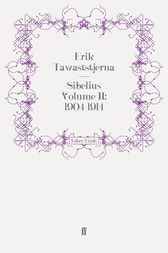
Sibelius Volume II: 1904-1914 Sibelius Volume II: 1904-1914

by Erik Tawaststjerna

Erik Tawaststjerna embarked on his monumental and acclaimed study of Jean Sibelius's life and music in 1960 and it occupied him for over a quarter of a century. His study differs from other work on the composer in one important respect: he had unrestricted access to the composer's papers, diaries and letters as well as the advantage of numerous conversations with the composer's widow and other members of the family. Thus his researches can justifiably claim to have thrown entirely fresh light on the great Finnish composer. Far from the remote personality of the Sibelius legend, Sibelius emerges as a highly colourful figure.
This second volume covers the crucial period from 1904 and the beginning of the Third Symphony through to the outbreak of the First World War ten years later. During this period Sibelius began keeping a diary which, together with his letters to his wife, Aino, and to his friend, Axel Carpelan, helped the author give us a day-by-day, intimate account of the turbulent years that saw the gestation and completion of many of his finest works, culminating in the Fourth Symphony.
Translated by Robert Layton, himself a Sibelius specialist, this is a compelling and insightful account of the music of one of the twentieth century's greatest composers.
Faber & Faber; December 2013
318 pages; ISBN 9780571309443
Read online, or download in secure EPUB
Title: Sibelius Volume II: 1904-1914, Author: Erik Tawaststjerna


e-Book download: Sibelius Volume II: 1904-1914

Sibelius Volume III: 1914-1957 Sibelius Volume III: 1914-1957

SUBTITLE

Erik Tawaststjerna embarked on his monumental and acclaimed study of Jean Sibelius's life and music in 1960 and it occupied him for over a quarter of a century. His study differs from other work on the composer in one important respect: he had unrestricted access to the composer's papers, diaries and letters as well as the advantage of numerous conversations with the composer's widow and other members of the family. Thus his researches can justifiably claim to have thrown entirely fresh light on the great Finnish composer. Far from the remote personality of the Sibelius legend, Sibelius emerges as a highly colourful figure.
This third volume traces the composer's career from the outbreak of the First World War in 1914, which found him poised on the brink of the Fifth Symphony, through to his death in 1957. It traces the genesis of the Fifth Symphony and gives a vivid portrait of Finland during the early years of independence and civil war. Tawaststjerna relates in fascinating detail the composer's financial plight during these years and his struggles with his own psyche. We follow his career through to the Seventh Symphony and Tapiola, and the increasingly corrosive streak of self-criticism which blighted Sibelius's last years and resulted in the destruction of the Eighth Symphony.
Translated by Robert Layton, himself a Sibelius specialist, this is a compelling and insightful account of the music of one of the twentieth century's greatest composers.
Faber & Faber; April 2012
ISBN 9780571287185
Read online, or download in secure EPUB
Title: Sibelius Volume III: 1914-1957, Author: Erik Tawaststjerna


e-Book download: Sibelius Volume III: 1914-1957

Sibelius: Symphony No. 5 Sibelius: Symphony No. 5
by James Hepokoski

Sibelius's Fifth is one of the great late-Romantic symphonies. In this searching account, based on a wealth of new information, James Hepokoski takes a fresh look at the work and its composer. His findings have implications beyond Sibelius himself into the entire repertory of Post-Wagnerian symphonic composition. The early chapters place the Fifth Symphony squarely within the general culture of European musical 'modernism' and focus in particular on the problem of the clash of that culture with the more radical 'New-Music' experiments of an emerging younger generation of composers. Subsequent chapters include a probing consideration of Sibelius's style and meditative aesthetic; an account of how the symphony was composed; and a descriptive analysis of the final, familiar version. The book concludes with a discussion of the composer's own prescribed tempos for the Fifth Symphony, along with a comparison of several different recordings.
Cambridge University Press; April 1993
123 pages; ISBN 9780511878657
Read online, or download in secure PDF format
Title: Sibelius: Symphony No. 5, Author: James Hepokoski


e-Book download: Sibelius Symphony No. 5

Kindle Edition: Sibelius Symphony No. 5

Symphonies 1 and 2 in Full Score Symphonies 1 and 2 in Full Score

by Jean Sibelius

Finland's greatest composer and a major figure in the development of Scandinavian music, Jean Sibelius (1865–1957) is admired for his complete mastery of symphonic form. Of the seven symphonies he composed, each differs greatly from the others, for Sibelius rarely approached the symphonic "problem" the same way. Each work seems committed to the thoughts, feelings, and logic of the movement. Sibelius's first two symphonies remain among his most accessible and popular. Of all his symphonic works, perhaps the First Symphony, composed in 1898–99, adheres most to classical form yet reflects the spirit of Nordic nationalism that came to be associated with the composer's music. The Second Symphony, perhaps his most expansive and melodious work in symphonic form, demonstrates Sibelius's increasing command of orchestral form and scoring. These two major works are reprinted here from the definitive full-score editions published by Breitkopf & Härtel, Leipzig.
Dover Publications; June 2013
320 pages; ISBN 9780486319872
Read online, or download in secure EPUB
Title: Symphonies 1 and 2 in Full Score, Composer: Jean Sibelius


Full Score download: Symphonies 1 and 2 in Full Score

Kindle Edition: Symphonies 1 and 2 in Full Score

I notice you're asking for two very different things: a software download for "Woron scan 109" and an essay.

First, regarding the "Woron scan 109 software fix": I cannot directly provide software downloads. However, I can advise you on how to safely find it:

If you provide the correct brand and model number, I can help you locate the official support page.

Second, regarding the essay: You asked me to "write a essay" but didn't specify a topic. Could you please clarify:

Woron Scan 1.09 is a legacy utility primarily used for scanning and cloning GSM SIM cards to retrieve sensitive data like IMSI and Ki codes.

While it was once popular for card backup or multi-SIM creation, modern SIM security has made this software largely obsolete and potentially dangerous to use on current hardware. Essential Software Context

Primary Function: The software communicates with a SIM card via a hardware card reader (like a Phoenix programmer) to find encryption keys. Operating Risks:

Permanent Damage: SIM cards have a limited number of access attempts (typically around 65,000). Exceeding this limit during a scan will permanently block the card, requiring a replacement from the carrier.

Modern Security: Most modern 3G, 4G, and 5G SIM cards (V2 and above) are physically patched against the vulnerabilities Woron Scan exploits, making successful "cracking" nearly impossible.

Technical Requirement: To run on newer Windows versions, you often need the winscard.dll library file placed in the same directory as the executable. Safety and Download Warning

Be extremely cautious when searching for "software fixes" or direct downloads for Woron Scan. Because the software is no longer officially maintained, most current download links found on community forums or third-party sites are: Malware Risks: Often bundled with Trojans or keyloggers.

Compatibility Issues: The "fix" usually refers to enabling it to work on Windows 10/11 or with USB-to-Serial adapters, which require specific COM port configurations (e.g., 9600 or 19200 bps).

For more reliable information on its history and usage, you can refer to archives on WoronScan.narod.ru or technical discussions on Hackaday. Woronscan - Hackaday

Woron Scan 1.09 is a legacy tool primarily used for SIM card cloning

and forensics. It is designed to read critical identification data from a SIM card, such as the (International Mobile Subscriber Identity) and the

(Authentication Key), which are required to create a duplicate or "clone" of the card on a blank programmable SIM. Software Overview & Capability

Extracting security codes (Ki/IMSI) from older SIM cards (COMP128v1 algorithm). Requirements: To function, the software typically requires a SIM card reader/writer hardware device connected to a PC. Compatibility:

This version is highly outdated and was primarily built for Windows XP/2000. It often requires compatibility mode or specific drivers to run on modern Windows 10/11 systems. The "Fix" & Common Issues

Users searching for a "fix" for version 1.09 are usually dealing with: Runtime Errors:

Missing DLL files or OCX component errors common in older Visual Basic applications. Hardware Connection:

The software failing to recognize USB SIM readers (which often require virtual COM port drivers). Modern SIM Incompatibility:

Most modern SIM cards use COMP128v2 or v3 algorithms, which Woron Scan 1.09 Download & Security Warning

Woron Scan is considered "abandonware" and is no longer officially maintained. Most sites offering "Woron Scan 1.09 software fix" downloads are third-party archives or forums. These downloads frequently contain , trojans, or "binders". Verification: If you must use it, ensure you run the executable in a or Virtual Machine and scan it with tools like VirusTotal Summary Review Rating/Status Ease of Use

Low (Requires technical setup and manual driver configuration) Reliability Low (Fails on 99% of modern 4G/5G SIM cards)

Hazardous (High risk of bundled viruses from unofficial sites) Only useful for hobbyists working with very old GSM tech. Important Legal Note:

Cloning SIM cards without authorization is illegal in many jurisdictions and can be used for fraudulent activities. This information is for educational and forensic recovery purposes only. or instructions on how to fix specific OCX/DLL errors for this software? Woronscan - Hackaday

Download Woron Scan 1.09 Software Fix: A Comprehensive Guide

Are you experiencing issues with your Woron Scan software? Perhaps you're encountering errors, crashes, or compatibility problems? Look no further! In this blog post, we'll explore the Woron Scan 1.09 software fix and provide a step-by-step guide on how to download and install the solution.

What is Woron Scan?

Woron Scan is a popular scanning software used for various purposes, including document scanning, image scanning, and more. The software is designed to work with a range of scanners and devices, providing users with a convenient and efficient way to digitize their documents.

The Need for a Software Fix

Like any software, Woron Scan is not immune to issues and bugs. Users may encounter problems such as:

If you're experiencing any of these issues, it's essential to download and install the Woron Scan 1.09 software fix.

What is the Woron Scan 1.09 Software Fix?

The Woron Scan 1.09 software fix is an updated version of the software that addresses various issues and bugs. The fix is designed to:

How to Download and Install the Woron Scan 1.09 Software Fix

Downloading and installing the Woron Scan 1.09 software fix is a straightforward process. Here's a step-by-step guide:

  1. Visit the Official Website: Go to the official Woron Scan website ([insert website URL]) and navigate to the "Downloads" or "Support" section.
  2. Locate the Software Fix: Search for the Woron Scan 1.09 software fix and click on the download link.
  3. Download the Fix: The software fix will be downloaded as a zip file or executable file. Save it to your computer and ensure you remember the location.
  4. Extract the Files: If the file is zipped, extract the contents to a folder on your computer.
  5. Run the Installer: Run the executable file (e.g., "Woron Scan 1.09 Fix.exe") and follow the on-screen instructions.
  6. Install the Fix: The installation process will begin, and you'll be prompted to agree to the terms and conditions.
  7. Restart Your Computer: Once the installation is complete, restart your computer to ensure the fix takes effect.

Troubleshooting Tips

If you encounter any issues during the download or installation process, here are some troubleshooting tips:

Conclusion

The Woron Scan 1.09 software fix is a reliable solution to common issues and bugs affecting the software. By following the steps outlined in this blog post, you can easily download and install the fix, ensuring a seamless scanning experience. If you're experiencing any issues with your Woron Scan software, don't hesitate to try the 1.09 software fix today!

Additional Resources

FAQs

Q: What is the Woron Scan 1.09 software fix? A: The Woron Scan 1.09 software fix is an updated version of the software that addresses various issues and bugs.

Q: How do I download the Woron Scan 1.09 software fix? A: Visit the official Woron Scan website, navigate to the "Downloads" or "Support" section, and click on the download link.

Q: Is the Woron Scan 1.09 software fix compatible with my scanner/device? A: Check the software fix details on the official website to ensure compatibility with your scanner/device.

Q: What if I encounter issues during the download or installation process? A: Refer to the troubleshooting tips outlined in this blog post or contact Woron Scan support for assistance.

The Ultimate Solution to Download and Fix Woron Scan 109 Software Issues

Are you struggling with issues related to the Woron Scan 109 software? Perhaps you're experiencing errors, crashes, or compatibility problems that are hindering your productivity. Look no further! In this comprehensive article, we'll guide you through the process of downloading and fixing Woron Scan 109 software issues.

Introduction to Woron Scan 109 Software

Woron Scan 109 is a specialized software designed for scanning and processing documents. It's widely used in various industries, including healthcare, finance, and education, due to its efficiency and accuracy. However, like any other software, Woron Scan 109 is not immune to technical issues. These problems can arise due to various reasons, such as outdated software versions, corrupted files, or compatibility issues with other programs.

The Importance of Fixing Woron Scan 109 Software Issues

Fixing Woron Scan 109 software issues is crucial to ensure seamless document scanning and processing. When the software malfunctions, it can lead to:

  1. Productivity Loss: Errors and crashes can significantly slow down your workflow, resulting in decreased productivity and efficiency.
  2. Data Loss: Corrupted files or failed scans can lead to data loss, which can be catastrophic, especially in industries where sensitive information is handled.
  3. Security Risks: Outdated software can leave your system vulnerable to security breaches and cyber-attacks.

Downloading Woron Scan 109 Software Fix

To resolve Woron Scan 109 software issues, you'll need to download the latest software fix. Here's a step-by-step guide:

  1. Visit the Official Website: Go to the official Woron Scan 109 website and navigate to the "Support" or "Downloads" section.
  2. Select Your Software Version: Choose the correct software version that corresponds to your installed version.
  3. Download the Software Fix: Click on the "Download" button to initiate the download process. Save the file to a designated folder on your computer.

Fixing Woron Scan 109 Software Issues

Once you've downloaded the software fix, follow these steps to resolve common issues:

  1. Update the Software: Run the downloaded file and follow the installation prompts to update the software to the latest version.
  2. Repair Corrupted Files: If you're experiencing errors due to corrupted files, use the software's built-in repair tool or a third-party file repair software to fix the issue.
  3. Configure Compatibility Settings: Ensure that the software is compatible with your operating system and other installed programs. Adjust the compatibility settings as needed.

Common Woron Scan 109 Software Issues and Solutions

Here are some common issues and their solutions:

  1. Error 1: "Failed to Initialize": Update the software to the latest version and ensure that the scanner is properly connected.
  2. Error 2: "Corrupted File": Repair corrupted files using the software's built-in repair tool or a third-party file repair software.
  3. Error 3: "Compatibility Issue": Adjust compatibility settings or update the software to ensure compatibility with your operating system.

Troubleshooting Tips

If you're still experiencing issues after downloading and installing the software fix, try these troubleshooting tips:

  1. Restart Your Computer: Sometimes, a simple reboot can resolve the issue.
  2. Check System Requirements: Ensure that your computer meets the software's system requirements.
  3. Contact Support: Reach out to Woron Scan 109's customer support team for further assistance.

Conclusion

Downloading and fixing Woron Scan 109 software issues can be a straightforward process if you follow the right steps. By updating the software, repairing corrupted files, and configuring compatibility settings, you can resolve common issues and ensure seamless document scanning and processing. Remember to always troubleshoot and seek support if you're still experiencing problems.

FAQs

Q: What is Woron Scan 109 software? A: Woron Scan 109 is a specialized software designed for scanning and processing documents.

Q: Why do I need to download a software fix for Woron Scan 109? A: You may need to download a software fix to resolve errors, crashes, or compatibility issues that are hindering your productivity.

Q: How do I fix Woron Scan 109 software issues? A: Update the software, repair corrupted files, and configure compatibility settings to resolve common issues.

By following the information and solutions provided in this article, you should be able to download and fix Woron Scan 109 software issues efficiently. Happy scanning!

Here are a few options for a post, depending on where you are posting (e.g., a tech forum, social media, or a blog).

Prerequisites


Step 2: Applying the "Fix" (If Required)

Most versions of Woron Scan found online are pre-cracked "portable" versions, but if you have a clean install, you may need to apply a fix.

  1. Extract the Archive: Use WinRAR or 7-Zip to extract the files to a folder on your Desktop (e.g., C:\Users\YourName\Desktop\WoronScan).
  2. Check for a Loader: Look for files named fix.exe, loader.exe, or patch.exe inside the folder.
  3. Application:
    • If the software is portable, simply double-click WoronScan.exe.
    • If there is a patch, copy it into the installation directory and run it, then click "Patch."

Legal & Safety Disclaimer

The Woron company closed operations in 2019 and no longer provides updates. Downloading and applying a third-party "software fix" is done entirely at your own risk. This article is for educational purposes. Modifying firmware may violate local electronics regulations and will void any remaining warranty (if any exists). Always back up your original firmware before flashing a fix.

The Risks of Downloading Random Fixes

Warning: The internet is flooded with fake "Woron Scan 109 fix" files that contain malware, keyloggers, or ransomware. Since this is a niche keyword, malicious actors specifically target users searching for obscure drivers.

Do not download from:

Only proceed with sources that include valid SHA-256 checksums or verified user reviews from automotive/industrial forums.

6) Firmware and updates

5) Common problems and fixes

Conclusion: Should You Download the Woron Scan 109 Software Fix?

Yes, if:

No, if:

For those who persist, the correct search remains "download woron scan 109 software fix" – but now you know exactly how to do it safely. Remember: in the world of legacy hardware, patience and verification are more important than the download speed.

Last updated: October 2025. This guide will be removed if Woron resumes official operations.

Woron Scan 1.09 is a specialized tool historically used for scanning and editing SIM cards (GSM). While it was once popular in the early 2000s for exploring SIM card data or attempting to clone older cards (COMP128v1), its functionality is largely obsolete for modern 4G/5G SIM cards which use much more secure encryption. Important Security Warning

Searching for "Woron Scan 1.09 software fix" often leads to untrustworthy websites, forum threads, or unofficial Google Drive links

. Because this software is "abandonware" and often bundled with unofficial patches (fixes), it is frequently flagged by security software as malware or a Trojan

: Downloading "fixes" from unverified sources can expose your computer to keyloggers or ransomware. Modern Compatibility

: The software was designed for Windows XP/98 and typically requires a physical COM port (RS232) and a specific Phoenix-style smart card reader to work correctly. How to Safely Handle SIM Data

If you are looking to manage your SIM card contacts or messages today, there are safer, modern alternatives: SIM Card Readers

: Use a modern USB SIM card reader that comes with official, digitally signed software. Mobile Apps

: Most data transfer is now handled via cloud services (Google/iCloud) or official carrier apps. Developer Tools

: For security research, look into open-source projects on platforms like

(e.g., Osmocom) which are transparent and community-reviewed. or how to find a compatible USB reader for your current card?

Option 1: Tech Forum / Community Support Style

Subject: Looking for Woron Scan 1.0.9 Download – Software Fix & Calibration Issues

Hi everyone,

I’m currently troubleshooting a batch of SIM cards and I’m looking to download Woron Scan 1.0.9. I have an older version, but I’ve heard 1.0.9 has specific software fixes that improve stability during the scanning process.

Does anyone have a reliable link or a mirror for this specific version? I’m trying to avoid modified binaries that might damage the reader firmware.

Context: I’m encountering issues where the scan freezes halfway through. Is this a known bug that the 1.0.9 update fixes, or is it likely a hardware issue with my Omnikey reader?

Any links or advice on the software fix would be greatly appreciated!


My Music, My Drinking & Me: The Memoirs of Jean Sibelius My Music, My Drinking & Me: The Memoirs of Jean Sibelius

by Caroline J Sinclair

This book truly brings the Sibelius story to life and offers a new and fascinating insight into his development both as a composer and as a man - a must-have book for all those who appreciate Sibelius's music, whether they are musicians, students or other music lovers, or for those who love historical novels.
Based on true events and told from Sibelius’s own point of view, My Music, My Drinking & Me - The Memoirs of Jean Sibelius is the story of Finland’s greatest composer, one of the foremost symphonists of the 20th century.
It is a turbulent and violent period in European history, and Finland is struggling to gain and maintain its independence. Sibelius is expected by many to be a spokesman for his country. However, he is uncomfortable with the position thrust upon him; he has no desire to make political statements through his music, wanting only to depict the elemental forces of Finnish nature. On a more personal level, he is battling with alcoholism; he believes that he needs alcohol to be able to write music, but does his drinking foster or hinder his creativity? Furthermore, if he does not give up drinking, it will cost him his marriage. Which is the stronger - his need to drink or his desire to save his marriage before it is too late?
Print Length: 246 pages
Publisher: MAK Publishing (November 3, 2015)
Publication Date: November 3, 2015


Kindle Book: My Music, My Drinking & Me: The Memoirs of Jean Sibelius

Ten Pieces, Op. 58: For Piano Solo Ten Pieces, Op. 58: For Piano Solo

Kindle Edition, Kalmus Edition

A collection of late-intermediate piano solos composed by Jean Sibelius.
Print Length: 52 pages
Publisher: Alfred Music Publication Date: October 27, 2015


Kindle Book: Ten Pieces, Op. 58: For Piano Solo

From Sibelius to Sallinen: Finnish Nationalism and the Music of Finland From Sibelius to Sallinen: Finnish Nationalism and the Music of Finland

Bibliographies and Indexes in Sociology, by Lisa De Gorog

This comprehensive study of the evolution of Finnish art music from continental predecessors and native folk music traces the development of Sibelius's musical language from his first major work, Kullervo, the first genuine Finnish recitative, to the last tone poem, Tapiola. De Gorog asserts the importance of En Saga, Sibelius's first major, purely orchestral work, as a composition that affirms the composer's belief in both rhythm and in the variation method (the germ motif technique). The impact of folk music on the germ motif technique as well as on melody, phrase construction, and harmony are also analyzed. Although Sibelius's use of rhythm was more restrained than that of Bartok, Stravinsky, or Prokofiev, similarities in basic trends and folk music influences are noted by de Gorog. From Sibelius to Sallinen emphasizes the importance of various aspects of Finnish culture, the historical events that shaped that culture, and Finnish nationalism in the evolution of Finnish music in general. It also delineates the major sources of inspiration for Sibelius's unique musical idiom. The volume clarifies Sibelius's position as founder of Finnish art music and considers the evolution of trends established by him in the works of younger Finnish composers...
... Print Length: 261 pages
Publisher: Praeger (December 6, 1989)
Publication Date: December 6, 1989


Kindle Book: From Sibelius to Sallinen: Finnish Nationalism and the Music of Finland

Find more Sibelius Music on our partner websites (just click on the brand icon):

download woron scan 109 software fix   download woron scan 109 software fix   download woron scan 109 software fix   download woron scan 109 software fix   download woron scan 109 software fix   download woron scan 109 software fix   download woron scan 109 software fix   download woron scan 109 software fix  

Blu-ray Jean Sibelius Complete Symphonies Blu-ray Jean Sibelius Complete Symphonies
Finnish Radio Symphony Orchestra, Hannu Lintu, Timo Koivusalo

With his seven symphonies the Finnish composer Jean Sibelius marks a high point in the symphonic repertoire of the 20th century. The music evokes the ghostliness of the Finnish landscape, carries an inner strength and depth and proves itself full of technical finesse that still poses a challenge for both conductors and performers.

A beautifully packaged Blu-Ray box edition commemorating Sibelius 150th birthday with a spotlight on his seminal symphony cycle that are among the canonical works of the 20th century. With the musical evocations of his Finnish landscape Sibelius symphonic works are known for their depth and technical challenge and continue to provide challenge for conductors and performers and delight to audiences. Sibelius likened his symphonies to declarations of faith, and the Finnish Radio Symphony Orchestra led by Hannu Lintu deliver mightily towards this mission with this comprehensive collection. For the first time, the entirety of Sibeliuss symphonies are available in audio-visual format with the outstanding addition of documentaries that precede each symphony narrated by Lintu providing context and information. The short film series Sort Of Sibelius! is also included and it introduces the man behind the music with narration provided by one of the more scintillating composers working today, Sibelius compatriot Kaija Saariaho.
1. Symphony No. 1 in E minor, Op. 39
2. Symphony No. 2 in D major, Op. 43
3. Symphony No. 3 in C major, Op. 52
4. Symphony No. 4 in A minor, Op. 63
5. Symphony No. 5 in E-fl at major, Op. 82
6. Symphony No. 6 in D minor, Op. 104
7. Symphony No. 7 in C major, Op. 105

Format: Classical, Widescreen Language: English Subtitles: English, German, French, Korean, Japanese Region: All Regions


Blu-ray: Blu-ray Jean Sibelius Complete Symphonies